TheDevBlog
The Purpose Behind The Dev Blog
Every developer's journey is paved with late nights, breakthrough moments, and countless lines of code. The Dev Blog exists to capture those moments to document the journey of a Computer Science student and Full Stack Developer navigating the ever evolving landscape of web development.
But this isn't just a personal journal. The Dev Blog was built with a clear mission to share deep technical dives, architectural patterns, and practical code snippets that other developers can actually use. No tracking. No ads. Just code. It's a space where the community can learn from real world implementation challenges and solutions.
A Philosophy of Sharing
The developer community thrives on knowledge sharing. The Dev Blog embodies this spirit through a curated collection of technical writing that bridges theory and practice.
Each article explores a specific technical topic in depth whether it's understanding React's reconciliation algorithm, designing scalable API architectures, or implementing custom hooks for reusable logic.
Beyond theory, the blog provides reusable code snippets that developers can copy, adapt, and integrate into their own projects. These aren't toy examples they're battle tested patterns from production applications.
Every article follows the "Rule of Three" explain the concept, show a practical example, and provide a reusable implementation. This ensures readers leave with both understanding and actionable code.
Clean Architecture for Content
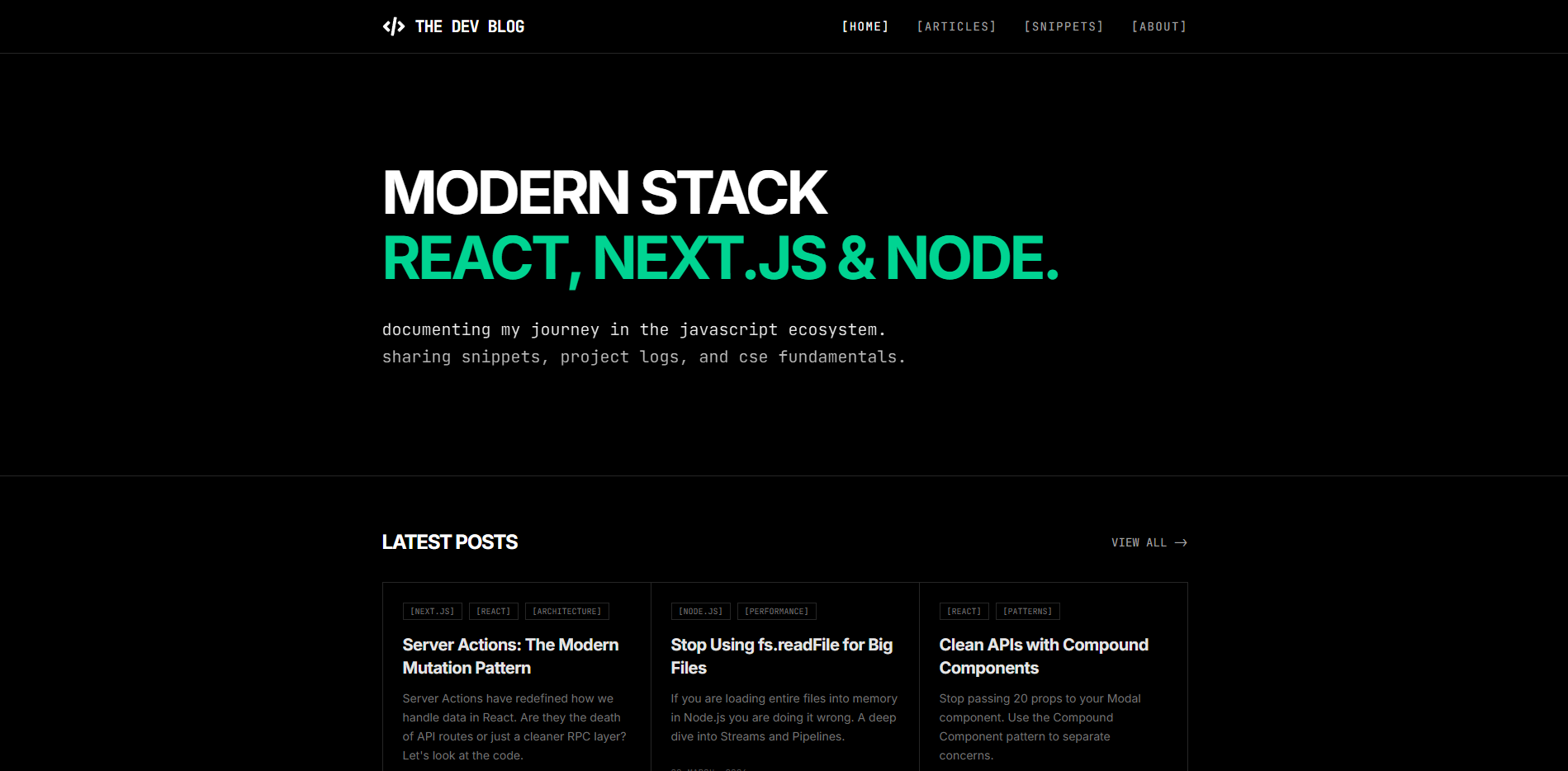
The Dev Blog isn't just a collection of articles it's a thoughtfully architected platform designed to showcase technical content in the most readable and accessible way possible.
A clean, typography first layout that puts content front and center. Articles are organized with clear categories and a visual hierarchy that guides reading flow.
Syntax highlighting with a developer first dark theme. Code snippets are copyable and formatted for maximum readability across all screen sizes.
A subtle but distinctive custom cursor adds personality to the browsing experience, reinforcing the blog's technical, code forward identity.
Organizing for Discoverability
Technical content is only useful if readers can find it. The Dev Blog implements a thoughtful information architecture that makes discovery intuitive.
The blog separates Articles (long form technical writing) from Snippets (quick, reusable code solutions). This lets readers choose their learning style.
A simple, intuitive navigation structure with dedicated pages for Articles, Snippets, and About. No clutter, just content.
All content is managed through TypeScript data files (posts.ts and snippets.ts), making it easy to add, update, or reorganize content without touching the UI components.
Built with Modern Tools
The Dev Blog leverages a carefully chosen tech stack that balances developer experience with performance and maintainability.
| Technology | Why It Was Chosen |
|---|---|
| React | Component based architecture for building reusable UI elements |
| TypeScript | Type safety for predictable, maintainable code |
| Tailwind CSS | Utility first styling for rapid, consistent UI development |
| Vite | Lightning fast development server and build tool |
Inside the Repository
The project follows a clean, organized structure that makes it easy to navigate and extend.
the-dev-blog/
├── README.md
├── index.html
├── package.json
├── tsconfig.json
├── vercel.json
├── vite.config.ts
└── src/
    ├── App.tsx
    ├── main.tsx
    ├── vite-env.d.ts
    ├── assets/
    │   └── kawsar.webp
    ├── components/
    │   ├── articles/
    │   │   └── ArticleGrid.tsx
    │   ├── layout/
    │   │   ├── Hero.tsx
    │   │   └── Navbar.tsx
    │   └── ui/
    │       ├── CodeBlock.tsx
    │       └── CustomCursor.tsx
    ├── data/
    │   ├── posts.ts
    │   └── snippets.ts
    ├── pages/
    │   ├── About.tsx
    │   ├── ArticleDetail.tsx
    │   ├── Articles.tsx
    │   ├── Home.tsx
    │   └── Snippets.tsx
    └── styles/
        └── global.css
Getting Started
Want to run The Dev Blog locally or use it as a template for your own technical blog? Here's everything you need to get started.
# Clone the repository
git clone https://github.com/kawsarcodes/the-dev-blog.git

# Install dependencies
npm install

# Run the dev server
npm run dev
No Tracking. No Ads. Just Code.
In an era of data collection and targeted advertising, The Dev Blog stands as a counterpoint. There are no analytics trackers, no ad networks, no cookies that follow you around the web. Just clean, focused technical content.
This isn't just a design choice it's a philosophy. The blog exists to serve the developer community, not to monetize attention. If you find value in the content, share it with others who might benefit. That's the only metric that matters.
Challenges Faced While Developing the Project
Building a high performance blog layout required managing code block rendering and reader ergonomics effectively.
Rendering code syntax highlighters dynamically without slowing page load times required custom light weight CSS styling rules rather than heavy external JavaScript dependencies.
Establishing optimal font scale ratios and line height constraints across mobile screens ensured high readability for technical code walkthroughs.
Potential Improvements and Future Plans for the Project
Planned features target content discovery, search indexing, and interactive technical demonstrations.
Integrating a file based MDX compiler to allow writing technical blog posts directly in Markdown with embedded live React preview components.
Implementing client side full text search indexing to let readers instantly find articles by programming language, topic tag, or technical keyword.