StudyNook
Platform Overview & Engineering Intent
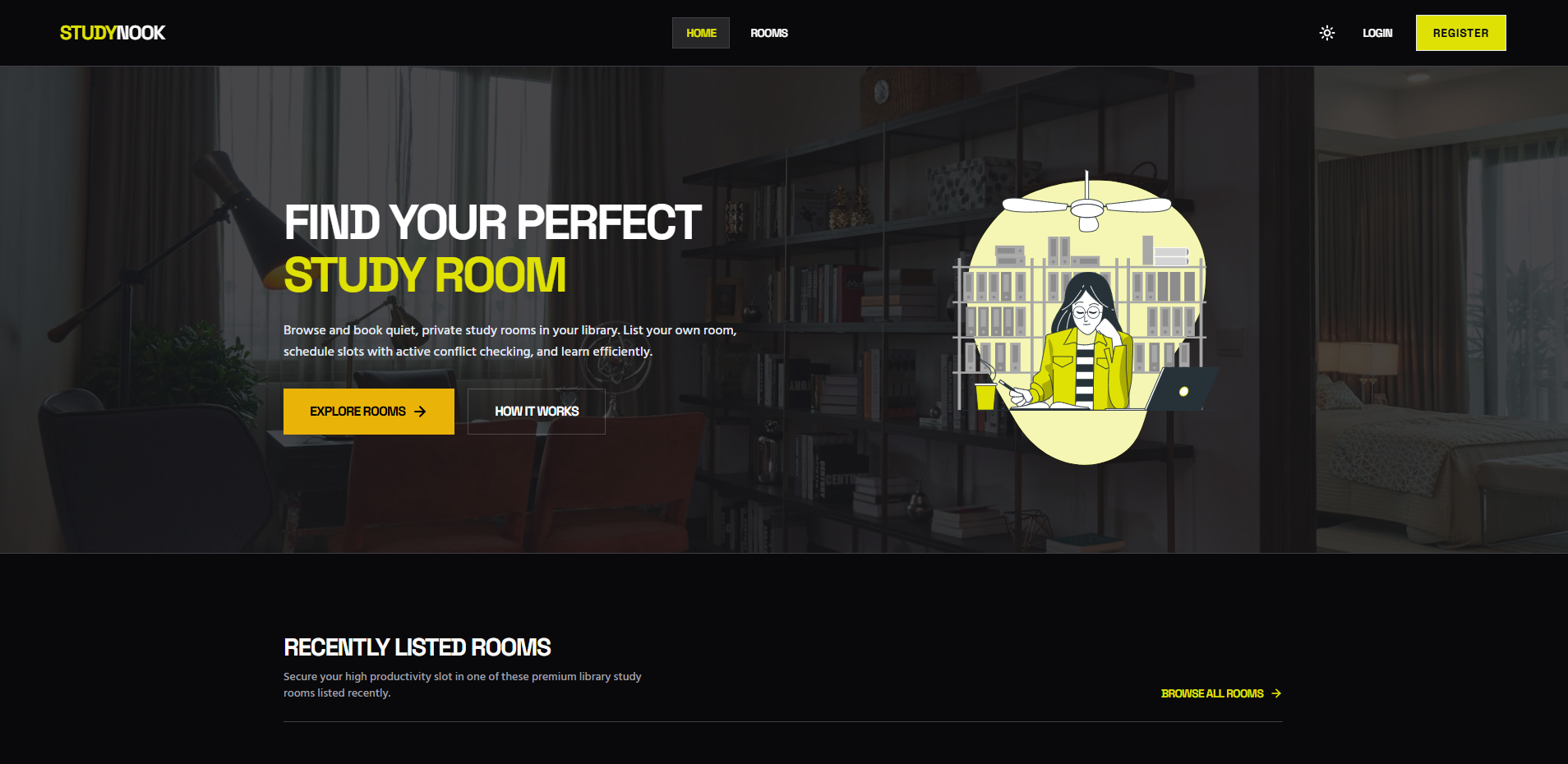
StudyNook is a full stack study room booking platform. The application provides a responsive glassmorphic interface where students can browse, search, and securely book library study spaces or manage their own listings as hosts.
The project focuses on practical web development challenges. It features an automated time conflict detection system to prevent double bookings, a dynamic home page showcasing the latest listings, and a personalized dashboard for tracking reservations. Under the hood, the application implements secure JWT authentication handled via HTTP only cookies, robust context based session management, Google single sign on, and protected client side routing to ensure a seamless experience even upon page reloads.
State Management & Persistent Layouts
Client routing is segregated cleanly between public access points and authenticated private views through secure layout wrappers that preserve state across browser refreshes.
Public layouts feature navigation to Home and Rooms with direct login and registration triggers. Private layouts conditionally inject options for Add Room, My Listings, and My Bookings alongside a profile thumbnail drop-down.
Secure layout wrapping for private views ensures authenticated session tokens persist smoothly on browser refresh without throwing unexpected redirection loops.
JWT with HTTP-Only Cookies & Security
Authentication security is heavily prioritized through server-side token generation and cookie encapsulation.
Generates secure JWT tokens upon authentication containing vital user payload identifiers and stores them safely inside structured HTTP-only, secure cookies with strict site compliance.
A custom authMiddleware reads, verifies, and attaches user context across all protected endpoints, immediately returning 401 statuses for invalid or expired tokens.
Advanced Booking Logic & Conflict Prevention
To eliminate scheduling collisions, the reservation pipeline incorporates automated validation checks before document creation.
Implements server-side checking using date and time validation operators to reject overlapping booking durations for individual rooms.
Coordinates user profile tracking by utilizing array push and pull operations to synchronize reservation history dynamically during creation or cancellation.
Key System Features
Real-time query listings utilizing search keywords, hourly rate sliders, floor levels, and individual comfort amenities.
Secure dashboards for hosts to post and manage study spaces, and for guests to review booking timelines and cancel active reservations dynamically.
Frictionless login experiences featuring secure Google Single Sign-On (SSO) alongside standard email credential login formats.
Owner-verified updates and deletions matching user credentials against room owner fields to secure document operations.
Repository Directory Architecture
kawsarcodes-studynook-frontend/
├── README.md
├── index.html
├── package.json
├── postcss.config.js
├── tailwind.config.js
├── vercel.json
├── vite.config.js
└── src/
    ├── App.jsx
    ├── index.css
    ├── main.jsx
    ├── components/
    │   ├── Footer.jsx
    │   ├── Navbar.jsx
    │   ├── ProtectedRoute.jsx
    │   ├── RoomCard.jsx
    │   └── Spinner.jsx
    ├── context/
    │   ├── AuthContext.jsx
    │   └── ThemeContext.jsx
    ├── pages/
    │   ├── AddRoom.jsx
    │   ├── Home.jsx
    │   ├── Login.jsx
    │   ├── MyBookings.jsx
    │   ├── MyListings.jsx
    │   ├── NotFound.jsx
    │   ├── Register.jsx
    │   ├── RoomDetails.jsx
    │   └── Rooms.jsx
    └── utils/
└── api.jskawsarcodes-studynook-backend/
├── README.md
├── package.json
├── server.js
├── config/
│ ├── db.js
│ └── seeder.js
├── middleware/
│ └── auth.js
├── models/
│ ├── Booking.js
│ ├── Room.js
│ └── User.js
└── routes/
├── auth.js
├── bookings.js
└── rooms.jsEnvironment & Setup Execution
Executing the system locally requires configuring environment variables for both the React client and Express server.
VITE_API_URL=http://localhost:5000/api
VITE_FIREBASE_API_KEY=your_firebase_api_key_here
PORT=5000
MONGODB_URI=mongodb://localhost:27017/studynook
JWT_SECRET=your_super_secret_jwt_key
NODE_ENV=development
Run the database seeding script to populate MongoDB with initial room records and sample host profiles.
npm run seed
Challenges Faced While Developing the Project
Developing a robust reservation system required addressing booking slot conflicts and cross origin session security.
Preventing double booking required writing strict database query constraints that validate overlapping start and end time intervals before creating new study room reservations.
Configuring secure HTTP only cookie transmission across distinct client and server deployment domains demanded meticulous SameSite and CORS header configuration.
Potential Improvements and Future Plans for the Project
Planned updates prioritize expanding booking options and adding real time availability notifications.
Integrating a graphical visual floor plan that allows students to view and select available study pods directly on an interactive map.
Sending automated confirmation messages and upcoming reservation reminders to host and student accounts prior to scheduled booking start times.